Videos are posted as Reels to an Instagram Professional account (Business or Creator).
|
Topic |
Details |
|---|---|
|
Account |
Business or Creator. If the account is switched back to Personal in the Instagram app, publishing stops until you switch it back and reconnect. |
|
Format |
Every video is shown as a vertical Reel. Horizontal videos get black bars above and below, and are published only when Also publish horizontal videos is on. |
|
Length |
Up to 15 minutes. Longer videos are skipped. |
|
Caption |
Up to 2,200 characters and 30 hashtags |
|
Access |
The sign-in is valid for about 60 days. The Account tab shows the date; reconnect before then to keep publishing. |
How to Add Collaborators to Every Reel
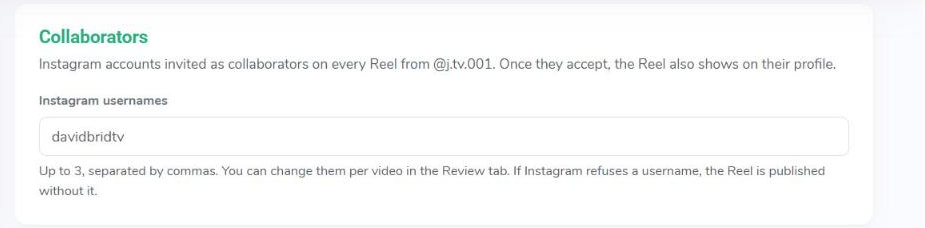
Collaborators are Instagram accounts invited as collaborators on every Reel.
- Open the Instagram account in Media Hub and go to Defaults and rules.
- In Collaborators, enter up to 3 usernames, separated by commas.
- Click Save changes.
Once a collaborator accepts the invite in Instagram, the Reel also shows on their profile. You can change collaborators per video in the Review tab. If Instagram refuses a username, the Reel is published without it.