
Videos are posted to any TikTok account, including Personal ones. TikTok requires you to choose the post settings yourself, so publishing stays off until you do.
|
Topic |
Details |
|---|---|
|
Account |
Any account. A Creator or Business account is not needed. |
|
Format |
A full-screen vertical feed. Horizontal videos get black bars above and below, and are published only when Also publish horizontal videos is on. |
|
Length |
Up to 10 minutes. Longer videos are skipped. |
|
Caption |
Up to 2,200 characters. Short captions work best on TikTok. |
|
Access |
Renews automatically |
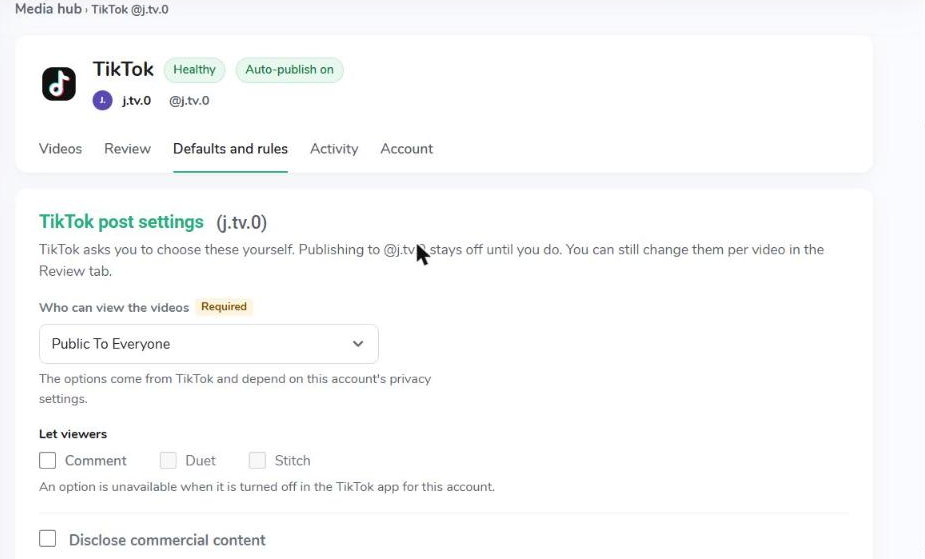
TikTok post settings are the first section of Defaults and rules and they are required. Until they are complete, nothing is posted to the account, and Videos › Manage shows a reminder.
- Open the TikTok account in Media Hub and go to Defaults and rules.
- Choose Who can view the videos.
- Choose what viewers may do: Comment, Duet, Stitch.
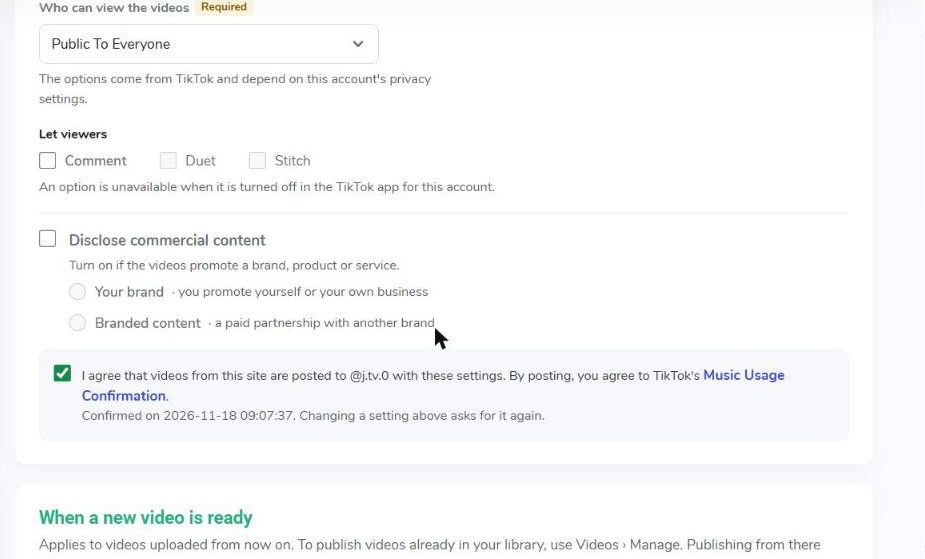
- If the videos promote a brand, product or service, turn on Disclose commercial content and choose the type.
- Tick the consent checkbox.
- Click Save changes.
|
Setting |
Meaning |
|---|---|
|
Who can view the videos |
Required. For example Public to everyone, Followers or Only me. The options come from TikTok and depend on the account's privacy settings. |
|
Let viewers: Comment, Duet, Stitch |
What viewers may do with the video. An option is unavailable when it is turned off in the TikTok app for this account. |
|
Disclose commercial content |
Turn on if the videos promote a brand, product or service, then choose Your brand (you promote yourself or your own business) and/or Branded content (a paid partnership with another brand). |
|
Consent |
Tick I agree that videos from this site are posted to @account with these settings. By posting, you also agree to TikTok's Music Usage Confirmation. |
The date of your confirmation is shown under the checkbox. Changing any of these settings asks for the confirmation again. You can still change the settings per video in the Review tab.
The rest of the page (new videos, review fields, video format, caption) works as described in Media Hub Defaults and Rules.